

Data Management, Manipulation and Analysis using Excel
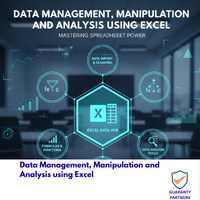
Course Overview
• Understand the fundamentals of data management and analysis using Microsoft Excel
• Learn how to effectively organize, manipulate, and analyze data using Excel’s tools and functions
• Develop skills to create meaningful insights and visualizations from data
Training Format:In-class, Virtual, In-house
Location:Lagos, Accra, Nairobi, Kigali
Language:English, French
Nigeria Price:
₦350000
Int'l., (Nigeria) Price:
$1000
Ghana Price:
$4000
Kenya Price:
$5500
Rwanda Price:
$6000
Nigeria Price:₦350000
Int'l., (Nigeria) Price:
$1000
Ghana Price:
$4000
Kenya Price:
$4000
Rwanda Price:
$4000
Nigeria Price: ₦350000
Int'l., (Nigeria) Price:
$1000
Ghana Price: $4000
Kenya Price: $4000
Rwanda Price: $4000
Introduction to Excel for Data Management and Analysis
• Overview of Excel’s features and capabilities for data management
• Understanding Excel’s data types and formatting options
Data Organization and Manipulation
• Creating and managing worksheets and workbooks
• Importing and exporting data in various formats
• Cleaning and transforming data using Excel’s tools
Formulas and Functions
• Understanding Excel’s formula syntax and structure
• Using basic arithmetic and logical functions
• Applying advanced functions for data analysis (e.g., VLOOKUP, SUMIF, COUNTIF)
Data Validation and Error Checking
• Implementing data validation rules
• Detecting and correcting errors in data
Data Visualization
• Creating charts and graphs for effective data presentation
• Customizing chart elements and formatting
• Combining multiple visualizations for comprehensive analysis
Pivot Tables and Pivot Charts
• Summarizing and analyzing large datasets using Pivot Tables
• Creating interactive Pivot Charts for data exploration
Data Analysis Techniques
• Performing descriptive statistics and data summarization
• Applying conditional formatting for data highlighting
• Conducting what-if analysis using scenarios and goal seek
Macros and Automation
• Understanding the basics of macros and VBA programming
• Automating repetitive tasks and workflows
Data Security and Collaboration
• Protecting data and workbooks using passwords and permissions
• Sharing and collaborating on workbooks with others
Who Should Attend:
• Professionals in various industries who work with data and need to analyze and present insights
• Business analysts, data analysts, and decision-makers
• Managers and executives who require data-driven decision support
• Students and individuals interested in developing data analysis skills using Excel
1ST BATCH: Tuesday, April 7, 2026 — Friday, April 10, 2026.
2ND BATCH: Tuesday, July 28, 2026 — Friday, July 31, 2026.
3RD BATCH: Tuesday, November 24, 2026 — Friday, November 27, 2026.
The training methodology integrates lectures, interactive discussions, collaborative group exercises, and
illustrative examples. Participants will acquire a blend of theoretical insights and hands-on practical
experience, emphasizing the application of learned techniques. This approach ensures that attendees return
to their professional environments equipped with both the competence and self-assurance to effectively
implement the acquired skills in their responsibilities.